Configuring Wireless Network for Outdoor Use: A Comprehensive Guide
If you're looking to set up an outdoor Wi-Fi network that's fast, reliable, and secure, there are a few key factors to consider. From selecting the right equipment to optimizing your network settings, there are several steps you can take to ensure that your outdoor Wi-Fi network delivers the best possible performance.
Optimizing Your Outdoor Wi-Fi Network
Establishing a reliable wireless network outdoors requires strategic solutions to maintain connectivity in your yard. This includes optimizing your network settings for optimal performance outdoors.
Choosing the Right Equipment
Not all wireless routers are suitable for outdoor use. Therefore, before making a purchase, it's essential to consider the environmental conditions of your outdoor space, including extreme temperatures, humidity, and exposure to dust and water.
Here are some factors to consider when selecting the right equipment:
- Environmental Protection: Look for equipment with IP67 or higher ratings to ensure optimal performance in harsh environments.
- Power Supply: Consider a power supply that can withstand extreme temperatures and humidity levels.
- Wireless Range: Choose a wireless router with a long range and high gain antennas to ensure strong signal strength outdoors.
- Frequency Band: Consider a dual-band wireless router to support both 2.4GHz and 5GHz frequencies for optimal performance.
Company Specific Guides
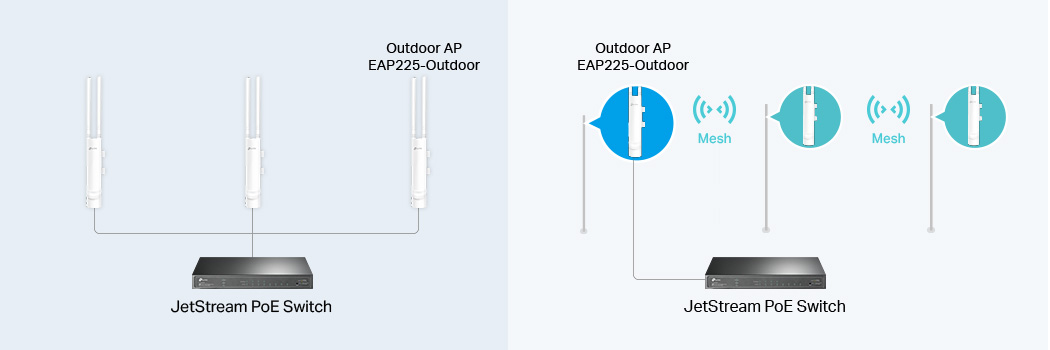
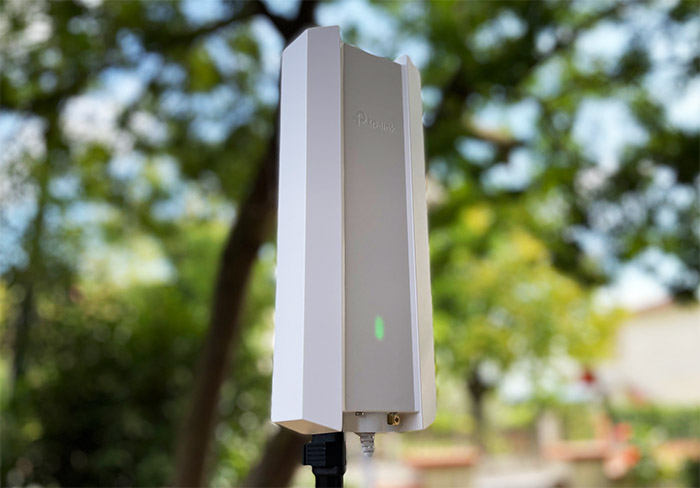
Companies such as TP-Link and UniFi offer a range of solutions specifically designed for outdoor wireless networking. These solutions can provide a comprehensive guide for setting up and configuring a wireless network for outdoor use.
Securing Your Outdoor Wi-Fi Network

Outdoor Wi-Fi networks should be secured with strong passwords and encryption, just like indoor networks. This is essential to protect your network from unauthorized access and ensure the security of your data.
Regulations and Compliance
Regulations on indoor and outdoor wireless use vary by region, impacting outdoor AP performance and compliance. To ensure compliance and optimal performance, consider the following:
- Channel Selection: Choose channels that minimize interference from neighboring Wi-Fi networks.
- Frequency Band: Use the 5GHz frequency band for high-bandwidth applications and the 2.4GHz frequency band for lower-bandwidth applications.
- Security Settings: Use strong passwords and encryption to protect your network from unauthorized access.
Monitoring and Optimization
Regular monitoring ensures your outdoor Wi-Fi network remains stable, providing robust coverage and fast internet speeds throughout your outdoor spaces. Utilize wireless networking tools to:
- Monitor wireless performance and track connectivity issues.
- Optimize your network settings for optimal performance.
- Protect your network from unauthorized access.
Conclusion
Configuring a wireless network for outdoor use requires careful planning and consideration of various factors. From selecting the right equipment to optimizing your network settings, this comprehensive guide provides a step-by-step manual for setting up and configuring a reliable and secure outdoor Wi-Fi network.