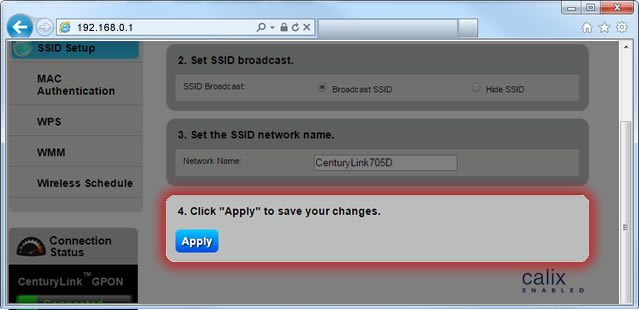
Protect Your Home Network with Secure Wireless Settings
Your home network is the backbone of your smart home, connecting all your devices, appliances, and services. However, if your wireless settings are not secure, you're putting your entire network and personal data at risk. In this article, we'll explore the importance of securing your home network wireless settings and provide you with expert tips to protect your network from cyber threats.
The Risks of Unsecured Wireless Settings
Unsecured wireless settings can lead to unauthorized access, data breaches, and even physical attacks on your devices. Cybercriminals can easily hack into your network and steal sensitive information, compromise your smart home devices, or even use your network for malicious activities. By not securing your wireless settings, you're inviting potential risks to your network and personal data.
The Importance of Home Network Wireless Security Settings
Securing your home network wireless settings is crucial to protecting your network from unauthorized access and cyber threats. With strong wireless security settings, you can:
- Prevent unauthorized access to your network
- Protect your personal data and sensitive information
- Secure your smart home devices and appliances
- Prevent malware and virus infections
- Ensure safe and reliable internet connectivity
How to Secure Your Home Network Wireless Settings
To secure your home network wireless settings, follow these essential tips:
1. Change Your Default Router Username and Password
Your router's default username and password are easily guessable, making it a weak point in your network security. Change them to strong, unique passwords to prevent unauthorized access.
2. Regularly Update Your Router Firmware
Router firmware updates often include security patches and bug fixes. Regularly update your firmware to ensure you have the latest security features and patches.
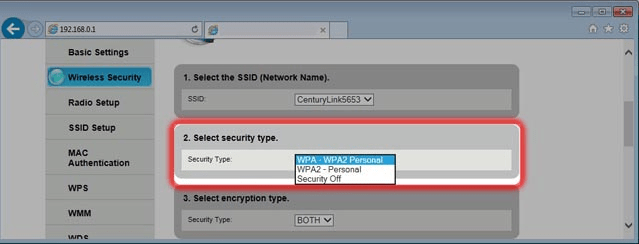
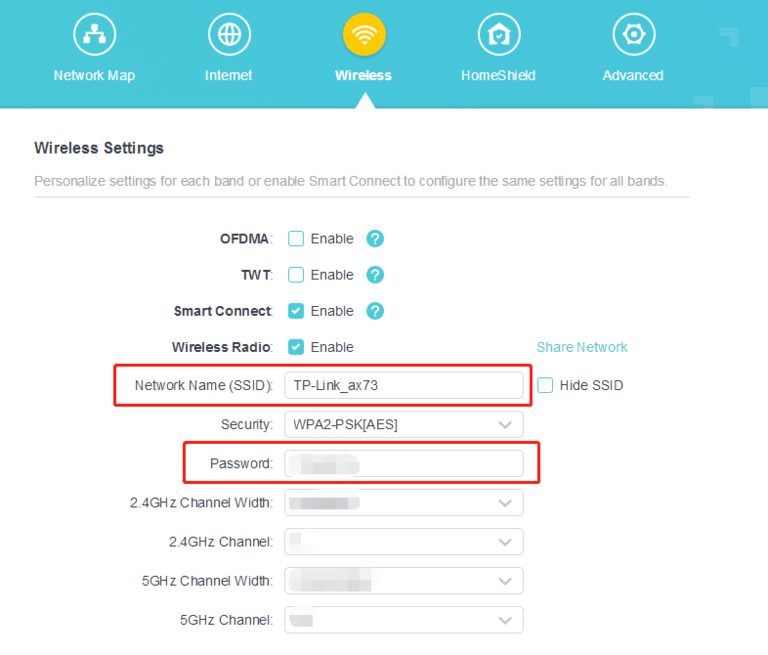
3. Enable WPA3 Encryption
WPA3 encryption is the latest and most secure encryption standard. Enable WPA3 encryption on your router to protect your network from unauthorized access and cyber threats.
4. Set Up Guest Network
A guest network is a separate network for visitors, keeping your main network secure and private. Set up a guest network to prevent unauthorized access and data breaches.
5. Secure Your Smart Home Devices
Smart home devices can be vulnerable to cyber attacks. Secure your smart home devices by changing their default passwords, updating their firmware, and setting up secure network connections.
6. Use a Firewall and Anti-Virus Software
A firewall and anti-virus software can help protect your network from malware and virus infections. Install a reputable firewall and anti-virus software to ensure your network is safe and secure.
7. Regularly Monitor Your Network Activity
Regularly monitor your network activity to detect any suspicious activity or potential security threats. Use network monitoring tools to keep your network secure and up-to-date.
Conclusion
Securing your home network wireless settings is essential to protecting your network and personal data from cyber threats. By following these expert tips, you can ensure your network is safe, reliable, and secure. Remember, a secure home network is a safe home, so take the necessary steps to protect your network today.
Additional Resources
For more information on securing your home network wireless settings, check out these additional resources:
- Cisco Certified Network Professional (CCNP) Enterprise certification
- CCNP Enterprise certification
- Best Buy home Wi-Fi setup and wireless security services
- Carrier wireless thermostat and receiver system
- Honeywell wireless thermostat setup and troubleshooting



_20240830055723o.jpg "Don't Let Hackers Access Your Home Wi-Fi Network. Here's How to Lock It ...")