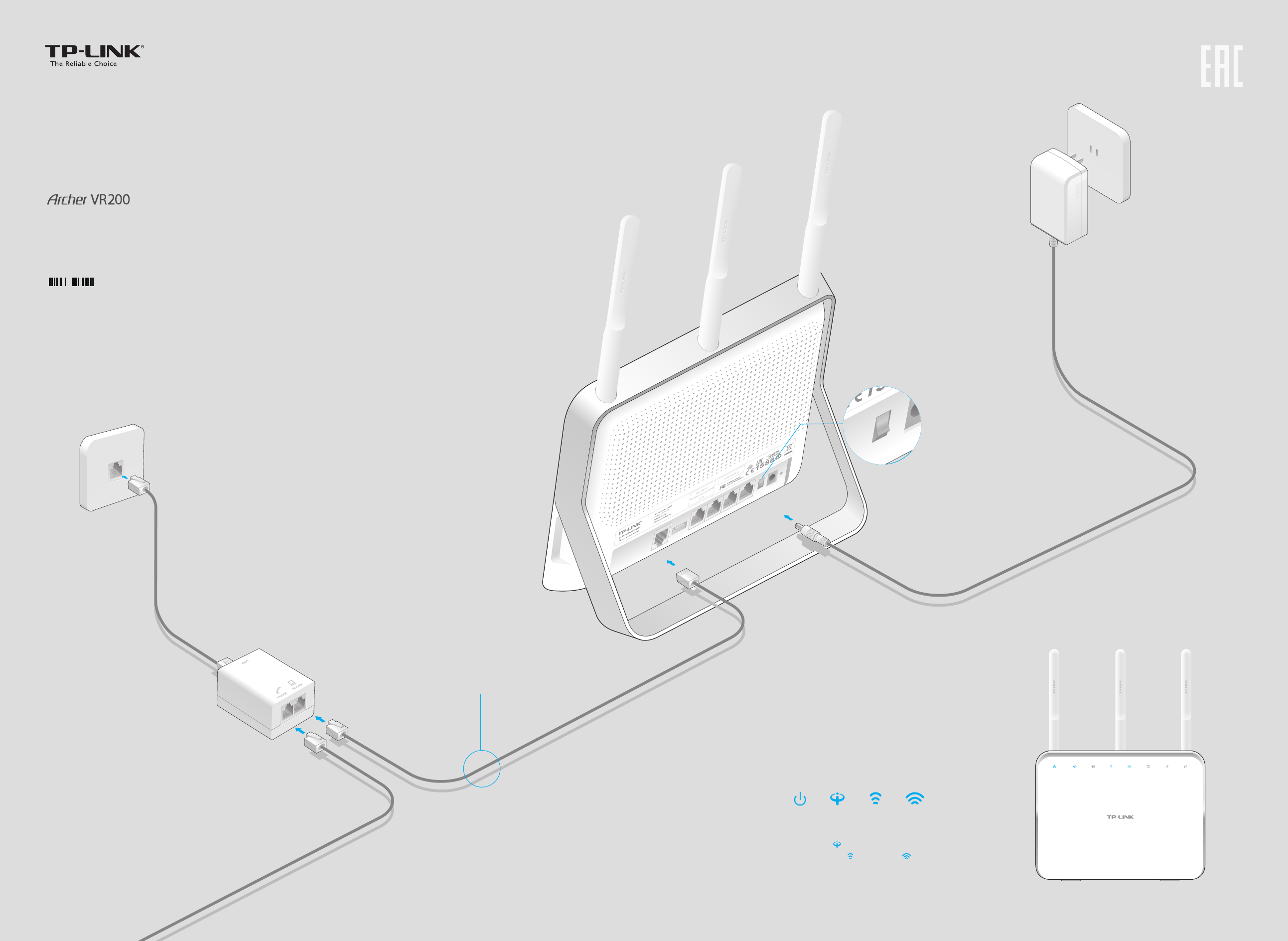
Modem Router Configuration Guide: A Step-by-Step Tutorial
Are you looking to set up your modem and router for a fast and secure home network? Configuring your modem and router can seem daunting, but with this comprehensive guide, you'll be able to navigate the process with ease.Understanding Modem and Router
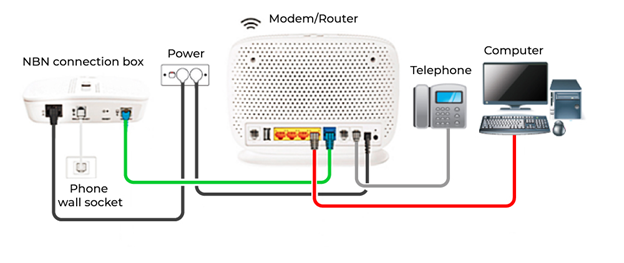
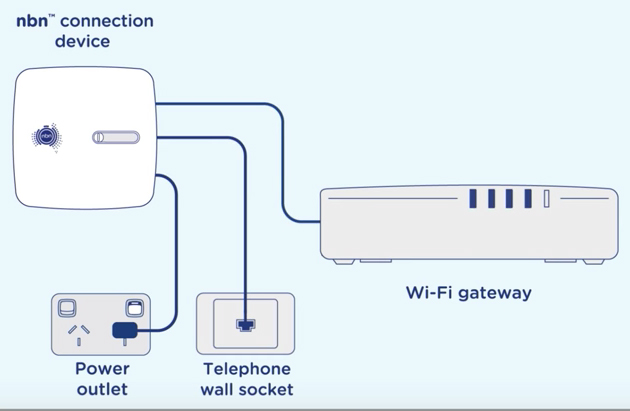
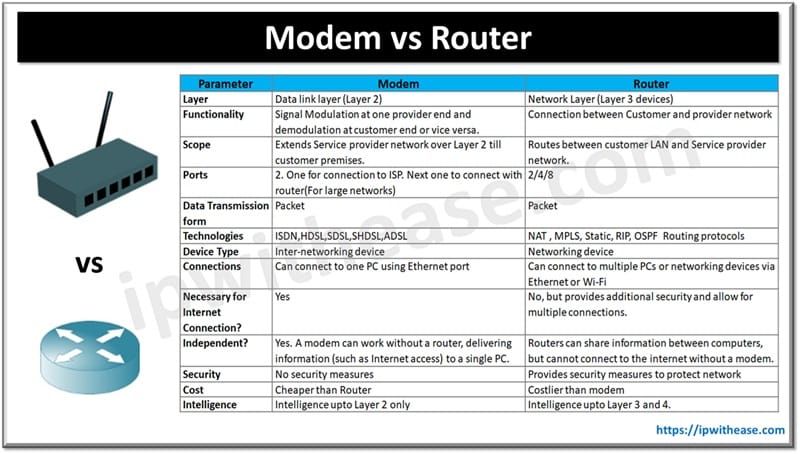
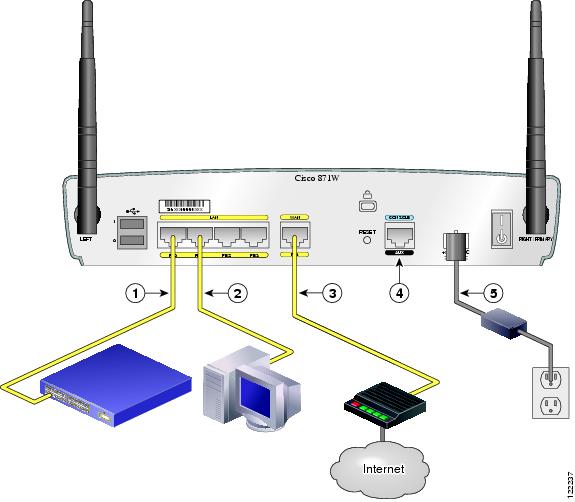
Before we dive into the configuration process, it's essential to understand the difference between a modem and a router. A modem connects your home network to the internet via a cable or satellite connection, while a router distributes the internet connection to all devices connected to your network.Step 1: Choose the Right Location
To ensure a stable and fast internet connection, it's crucial to choose the right location for your modem and router. Ideally, it should be placed in an open area, away from interference from other devices and walls.The Top 5 Worst Places to Put Your Router:
- Behind the TV or computer
- Under a bed or couch
- In a crowded area with many devices
- Near cordless phones or microwaves
- TOO HIGH
Step 2: Test Your Internet Connection
Before changing any settings, it's essential to test your internet connection to ensure you have a stable and fast connection.Common Connection Speeds:
- DOCSIS 3.0: Up to 1.4 Gbps
- DOCSIS 3.1: Up to 10 Gbps
- FTTP: Up to 10 Gbps
Step 3: Access Your Modem and Router Settings
To configure your modem and router, you'll need to access them via a web browser. The URL will depend on the type of modem and router you have.Common Modem Router Configuration URLs:
- TP-Link: http://tplinkwifi.net
- Linksys: http://192.168.1.1
- D-Link: http://192.168.0.1
Step 4: Update Firmware and Change Administrator Password
It's essential to update your modem and router firmware and change the admin password to ensure security.Updating Firmware:

Go to the settings menu and select the firmware update option. Follow the instructions to update the firmware, and restart your modem and router.
Changing the Admin Password:
Go to the settings menu and select the login section. Enter the new admin password, and confirm the new password.
Step 5: Configure Wireless Settings
Configure your wireless settings, including the network name, password, and channel settings.Setting Up Wireless Settings:
Go to the settings menu and select the wireless settings section. Input the desired SSID, password, and channel settings, and save the changes.
Step 6: Configure Port Forwarding (Optional)
If you want to set up port forwarding for gaming or other applications, follow these steps.Setting Up Port Forwarding:
Go to the settings menu and select the port forwarding section. Select the type of port forwarding and input the protocol, port, and range, and save the changes.
Accessing Your Router's Web Interface:
To access the web interface of your router, you need to open a web browser and type the default IP address of your router in the address bar. Save and submit, and it will enter the login page. Enter the username and password sent with the router, or locate on label on the router as it is case sensitive and may also be referred to as pin as you would key entering note this varies between router model and ISP.