Setting Up Your G Router for Secure Online Browsing
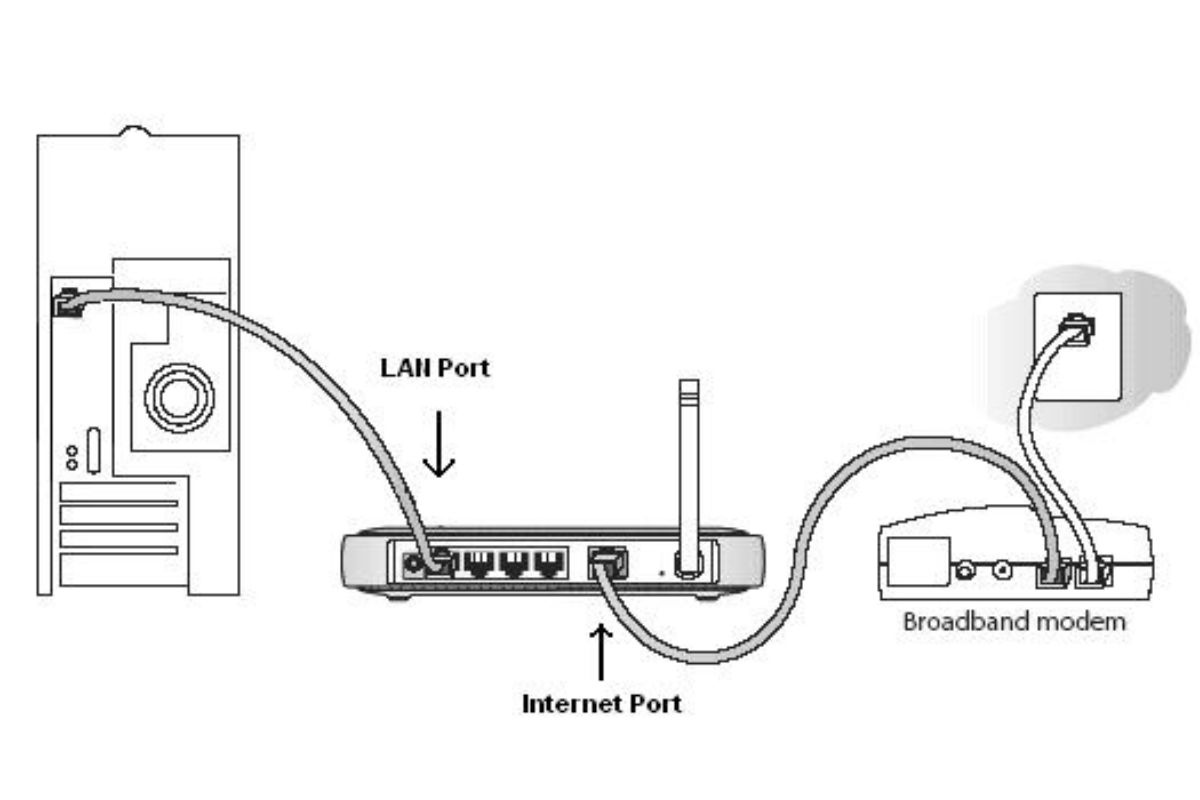
With the increasing number of cyber threats and online vulnerabilities, securing your home network has become a top priority. Your G router is the gateway to your online world, and configuring it properly is essential to ensure a secure online browsing experience. In this article, we will guide you through the process of setting up your G router for secure online browsing.
Understanding Your Router's Configuration
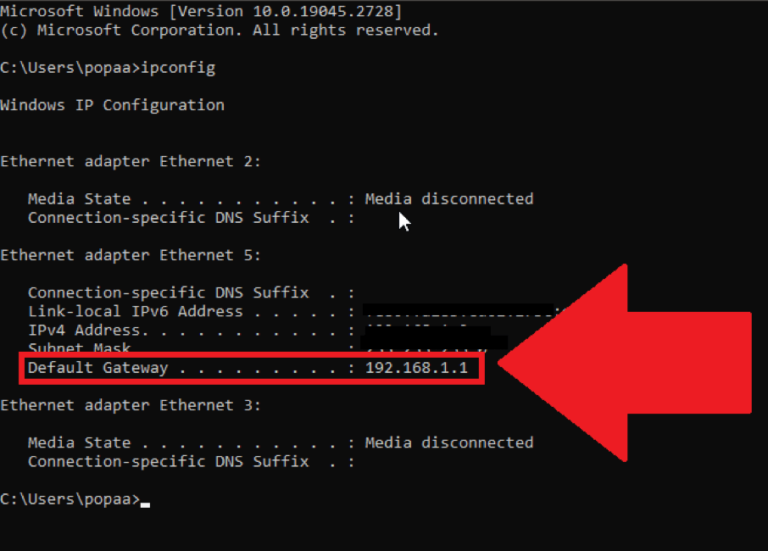
Before we dive into the setup process, it's essential to understand your router's configuration. Your router's web interface is where you can access and change various settings, including your Wi-Fi network name, password, and security options. To access your router's web interface, you'll need to sign in to your account and navigate to your router's device configuration.
Disabling Remote Access
Many routers offer a remote access feature that allows you to access your router's web interface from anywhere in the world. While this feature can be convenient, it also poses a security risk. To secure your router, it's recommended to disable remote access. This will prevent unauthorized access to your router's configuration and reduce the risk of hacking.
Configuring Your Router's Security Settings
Configuring your router's security settings is crucial to ensure a secure online browsing experience. Here are some essential settings to consider:
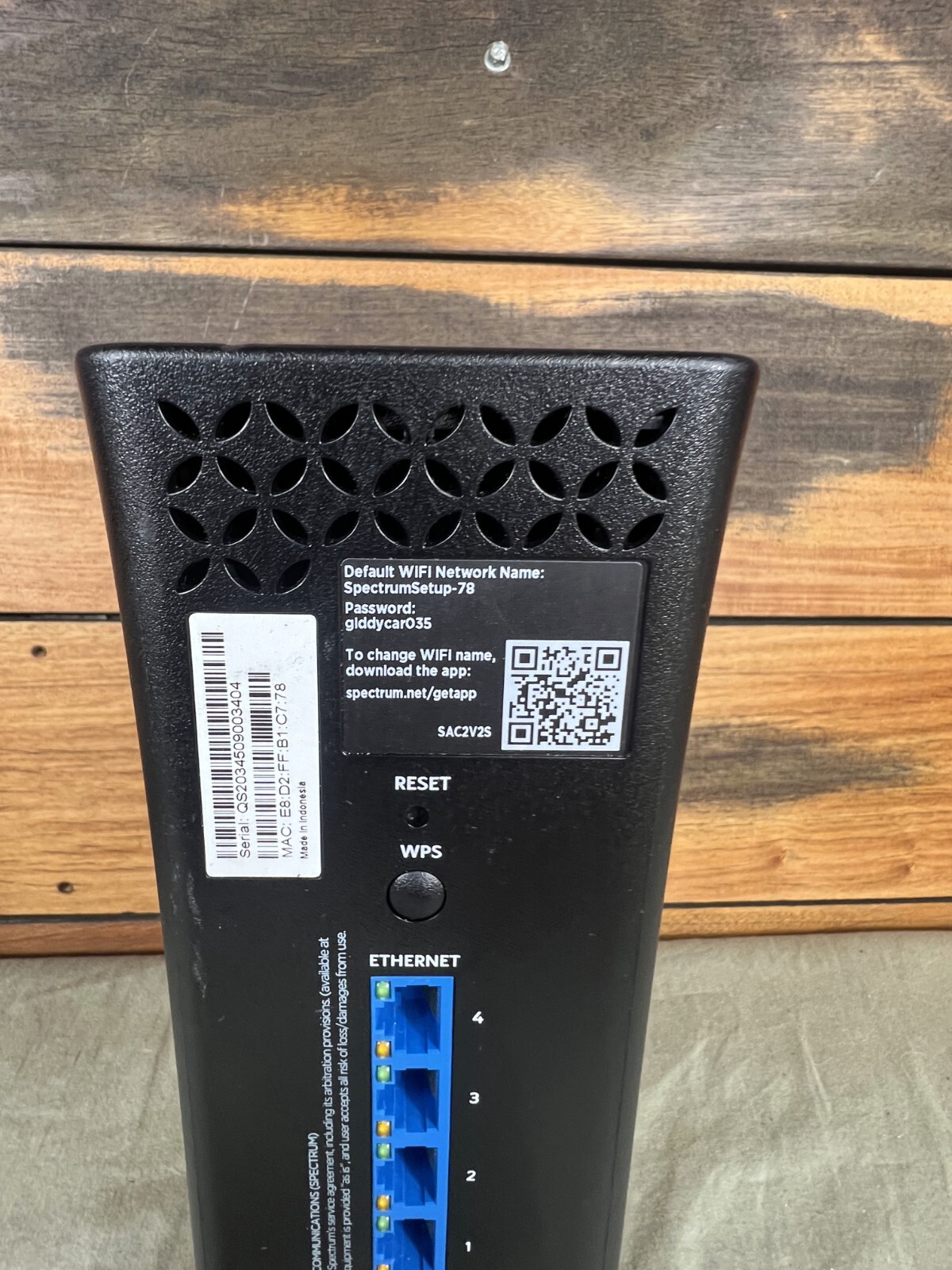
- Change Your Router's Default Password: The default password for your router is often easily guessable, making it a security risk. Change your password to a strong and unique one to prevent unauthorized access.
- Enable WPA2 Encryption: WPA2 encryption is a robust security protocol that protects your Wi-Fi network from unauthorized access. Enable WPA2 encryption to ensure your network is secure.
- Set Up a Guest Network: A guest network is a separate network that isolates your smart home devices from your main household network. This is an excellent way to prevent unauthorized access to your network.
- Update Your Router's Firmware: Regularly update your router's firmware to ensure you have the latest security patches and features.
Additional Security Measures
While configuring your router's security settings is essential, there are additional measures you can take to ensure a secure online browsing experience:
- Use a VPN: A virtual private network (VPN) creates a secure, encrypted connection between your device and the VPN server. This adds an extra layer of security and privacy to your online activities.
- Use Strong Passwords: Use strong, unique passwords for all your online accounts, including your router's admin password.
- Keep Your Devices Up-to-Date: Regularly update your devices' operating systems and software to ensure you have the latest security patches and features.
Conclusion
Setting up your G router for secure online browsing requires attention to detail and a commitment to security. By following the steps outlined in this article, you can ensure a secure online browsing experience and protect your network from cyber threats. Remember to regularly update your router's firmware, use strong passwords, and consider using a VPN to add an extra layer of security to your online activities.
Additional Resources
For more information on securing your router and online browsing experience, check out the following resources:





_20240830055723o.jpg "How to Set up a Secure Network? - GeeksforGeeks")