Expert Guide: Internet Router Setup for Hotel Wi-Fi
Setting up a router for use in hotel rooms can be a complicated task, but it is crucial for frequent travelers and individuals who need a secure and reliable internet connection. In this comprehensive guide, we will walk you through a step-by-step process for setting up your router in hotel rooms, ensuring a stable and secure connection during your stay.
Understanding Hotel Room Wi-Fi Routers
Hotel room Wi-Fi routers provide essential support to that reliable internet access – an essential piece of a larger hospitality Wi-Fi puzzle. By understanding the basics of how hotel room Wi-Fi routers work, you can set up a secure and efficient network in no time.
Setting Up a Travel Router
When setting up a travel router, you need to ensure that it is compatible with the hotel's Wi-Fi network. Some hotels may offer their own Wi-Fi services, and using a personal router could potentially interfere with their network. By understanding the hotel's policies, you can ensure that you are not in violation of any rules and can proceed with setting up your router without any issues.
Why Use a Travel Router?
- Convenient and practical solution for travelers with multiple devices.
- Creates a separate, isolated network that allows you to connect multiple devices, such as laptops, smartphones, and tablets, to the hotel's Wi-Fi.
- Helps in creating a private network within the hotel room.
- Enables you to connect to the hotel's Wi-Fi and use it in hotspot mode, where it captures the Wi-Fi connection, and then shares it with your local devices.
Setting Up a Travel Router: A Step-by-Step Guide
Setting up a travel router requires a few simple steps:

- Access the router's setup page.
- Create a Wi-Fi network name and password.
- Leave the internet or WAN settings unconfigured.
- Once configured, connect your devices to the new Wi-Fi network as usual.
Popular Travel Routers for Hotel Wi-Fi
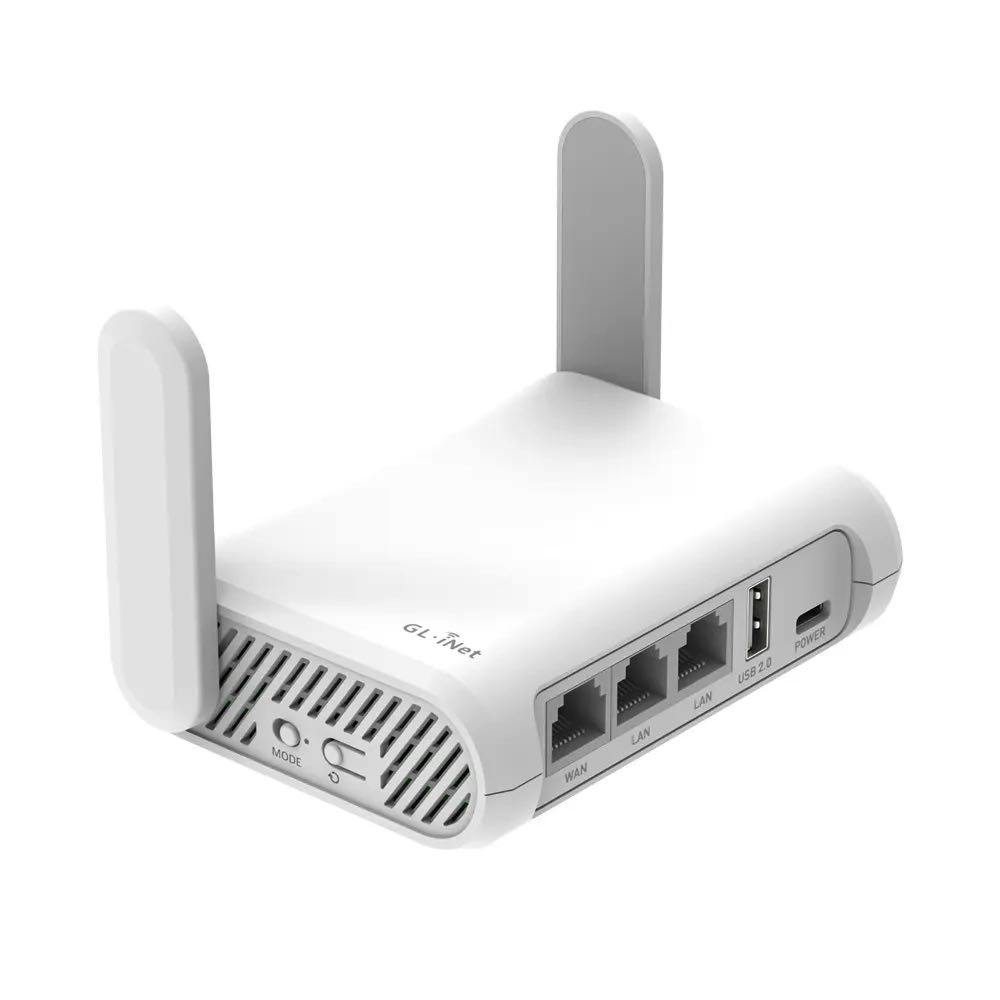
There are several travel routers available in the market that are specifically designed for hotel Wi-Fi. Some popular options include:
- ASUS RT-BE58 Go: A compact and portable Wi-Fi 7 travel router that provides reliable and secure internet access.
- ECOVOX Portable 4G LTE Mobile WiFi Router: A compact and portable 4G LTE mobile hotspot that delivers fast and stable internet access anywhere.
- TP-Link AX1500 Wi-Fi 6 Travel Router: A high-performance travel router that provides secure and reliable internet access.
Best Practices for Setting Up a Travel Router in a Hotel Room
When setting up a travel router in a hotel room, there are a few best practices to keep in mind:
- Ensure that the router is compatible with the hotel's Wi-Fi network.
- Understand the hotel's policies and ensure that you are not in violation of any rules.
- Set up the router in a way that creates a private network within the hotel room.
- Connect to the hotel's Wi-Fi and use it in hotspot mode to share the connection with your local devices.
Conclusion
Setting up a router for use in hotel rooms can be a complicated task, but it is crucial for frequent travelers and individuals who need a secure and reliable internet connection. By understanding how hotel room Wi-Fi routers work and following a step-by-step guide, you can set up a secure and efficient network in no time.




![[Wireless Router] How do I enter my ASUS router's setting page using ...](https://m.media-amazon.com/images/S/aplus-media-library-service-media/87bd86d8-7511-4455-b370-f3d9bf1b1bec.__CR0,0,1464,600_PT0_SX1464_V1___.jpg "[Wireless Router] How do I enter my ASUS router's setting page using ...")